Bebi: Baby Games for 2-4y kids
- 4.6
- Rating
- 10.00M
- Installs
- Free
- Price

 Analysis by App-foxy
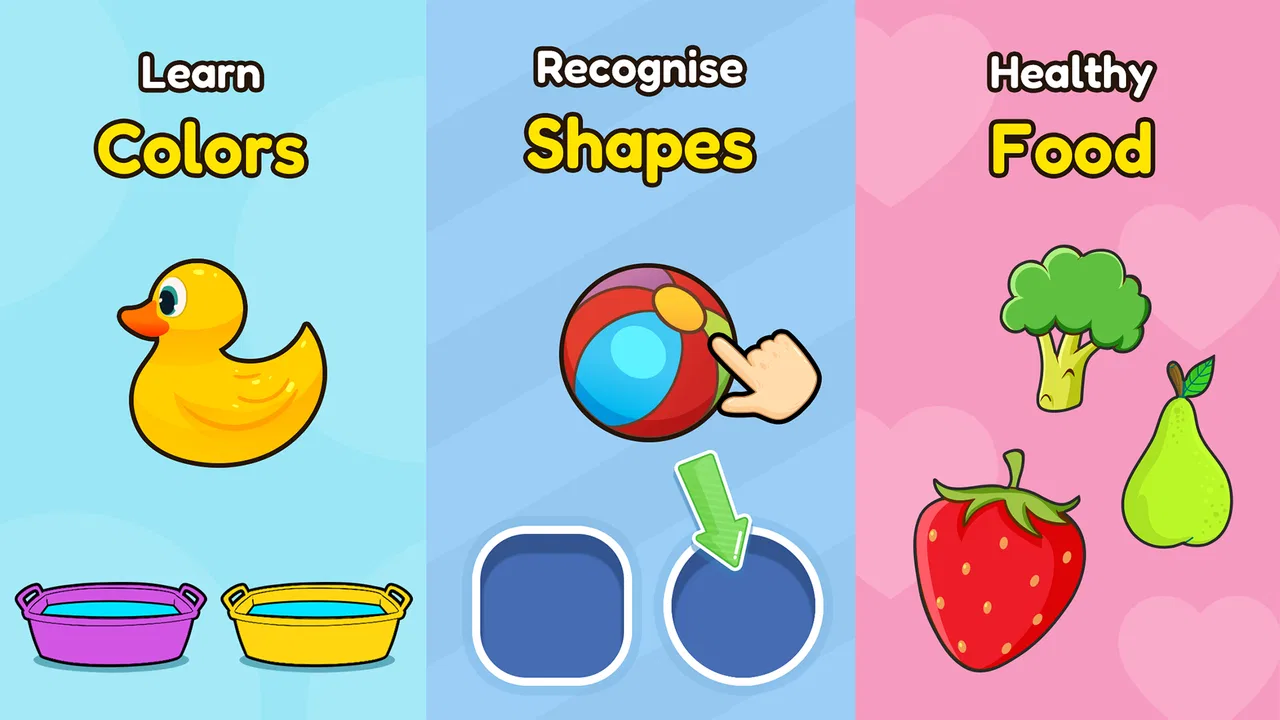
I approached Bebi: Baby Games for 2-4y kids as a parent would: not looking for a complicated game, but for something a young child could understand quickly, enjoy in short bursts, and use without constant adult instruction. It is a free educational game from Bebi Family: preschool learning games for kids, aimed at toddlers and preschoolers. Its activities focus on familiar early-learning themes such as colors, shapes, puzzles, and the alphabet, making it a broad starter collection rather than a single deep lesson.
That broad approach is the first thing to understand. This is not a game built around a long story, a competitive score, or a difficult campaign. The appeal comes from giving a child simple goals that feel immediately reachable: identify something, match something, complete a small puzzle, or recognize a letter. In my experience, that makes it especially suitable for a child who is still learning how games work and needs quick feedback rather than a large set of rules.
How the first goals shape the play experience
The early goals are deliberately familiar. A toddler does not need to understand a menu full of systems before getting started; the learning subjects themselves provide the structure. Colors and shapes are easy concepts to connect with objects in daily life, while puzzles offer a more hands-on form of recognition. Alphabet activities add a first step toward letter familiarity without requiring the child to sit through a formal lesson.
You May Also Like

 Blood Strike: 2.5 Anniversary
Blood Strike’s Loadouts Turn Every Drop Into a Tactical Gamble
A close look at Blood Strike’s custom loadouts: how fast access to signature weapons reshapes its battle royale rhythm, rewards preparation, and narrows the gap between fights.

 Pandora - Music & Podcasts
Pandora’s Music Is Easy to Start, but Harder to Recover
Pandora’s strength is its low-effort path from a seed to a station. Its weak spot is how much confidence it asks you to place in connection, setup, and quiet recovery.

 8 Ball Pool
 Is Built on Rivalries, Rematches, and Routine
A close look at the rivalries, rematches, shared routines, and unanswered safety questions that turn a quick pool match into a persistent mobile community.

 Samsung Music
’s Quiet Strength Is Playing What You Already Own
Its reach comes less from spectacle than from dependable access to a personal library. That simplicity is both the app’s strongest retention engine and its ceiling.

 AccuWeather: Weather Radar
AccuWeather Review: A Quick, Clear Forecast for Everyday Decisions
For everyday plans, the best forecast is the one you can understand quickly. AccuWeather makes rain timing, radar, and local conditions easy to act on, with a few trade-offs.

 Hill Climb Racing
Why Hill Climb Racing Still Turns Crashes Into One More Run
A tiny car, a bumpy hill and one more upgrade: Hill Climb Racing keeps resurfacing because its simple chaos makes every near-miss feel personal.
More From Our News Desk



I like this choice because it reduces the distance between play and everyday learning. After using a color activity, a parent can point to a cup or toy and ask the child to find the same color. A shape task can lead naturally into looking for circles, squares, or other forms around the home. These small conversations are where the game becomes more useful than passive screen time. The app provides the prompt, but the adult can carry the idea into the real world.
The game is also easier to introduce than many educational apps that begin with elaborate characters, maps, or reward economies. A two-year-old may not care about a fictional mission, but can understand that two pieces belong together or that a familiar color should be selected. That simplicity is a genuine strength for the youngest audience.
At the same time, parents should keep expectations realistic. A collection of mini-games cannot replace conversation, physical play, books, drawing, or guided practice. I see it as a short activity that supports recognition and attention, not as a complete preschool curriculum. Its value is highest when it gives a child one small idea to explore and then becomes a starting point for interaction away from the screen.
What progress feels like for a young child
Progress in this kind of game is less about a visible long-term achievement and more about the child becoming comfortable with the task. At first, a child may tap randomly, need help finding the right area, or lose interest before finishing. With repeated sessions, the useful signal is often much simpler: the child starts recognizing what the activity is asking and completes more of it without help.
That is an important distinction for parents. If you are looking for detailed learning reports, skill charts, or a formal lesson sequence, this will feel limited. If you want to observe whether your child is becoming more confident with matching, sorting, basic shapes, colors, or letters, the immediate interaction is more relevant than a dashboard.
I recommend watching how the child approaches the activity rather than focusing only on whether the answer is correct. Does the child pause and look carefully? Can they return to the same type of task later? Do they begin naming a color or letter aloud? Those are more meaningful progress signals at this age than simply moving through content quickly.
The app’s wide subject range can help here because a child may respond strongly to one area and less to another. A toddler who is not interested in alphabet practice may happily spend time with shapes or puzzles. That flexibility gives parents a practical way to follow the child’s current readiness instead of forcing every topic in the same session.
Challenge and pacing: gentle, but not endlessly engaging
The pacing is best suited to short sessions. Young children often move between curiosity and fatigue very quickly, so a small activity with an obvious objective can work better than a long lesson. The early tasks are approachable enough for a child to experiment, and the educational themes are clear enough that an adult can explain them in a few words.
However, gentle pacing has a trade-off. A child who already knows colors and shapes may move through those ideas without much challenge. The same is true for older preschoolers who want more complex puzzles, reading practice, or a stronger sense of mastery. The game’s audience is specifically young, so it should not be judged as a demanding educational title for children beyond its intended stage.
For a realistic everyday use case, I can imagine opening it while waiting at a medical appointment or during a quiet transition before dinner. I would choose one activity, sit nearby, and let the child play for a limited period rather than handing over the device indefinitely. That approach matches the game’s short-form design and makes it easier to notice when the child has stopped learning and is simply tapping.
A useful technique is to change the follow-up activity instead of repeatedly asking the child to continue inside the app. If a puzzle has held their attention, offer a physical puzzle afterward. If colors were the favorite, ask the child to sort socks or blocks by color. This turns the app’s pacing into a bridge rather than a destination.
Unlocks, rewards, and the question of retention
When I assess a children’s game, I pay attention to whether it encourages useful repetition or merely tries to keep the child looking at the screen. Here, the educational topics themselves are the main reason to return. A child may come back because a familiar puzzle is enjoyable, because a parent suggests another activity, or because the child is beginning to recognize a concept that felt new during the previous session.
That is healthier than relying entirely on pressure to continue, but it also means the app may not hold every child for long. Some children need a clear sequence or a strong narrative to stay engaged. Others prefer open-ended play and may enjoy returning to familiar tasks. This title is more convincing for the second group, particularly when an adult helps turn each visit into a small goal.
Parents should also be aware of the difference between repetition and progress. Repeating a color-matching activity can reinforce recognition, but endless repetition without conversation may become mechanical. I would use the app to introduce or refresh a concept, then stop while the child is still interested. Ending on a positive note is often more effective than waiting for frustration or boredom.
The store summary highlights a no-ads experience, which is an important practical point for a toddler-focused game. Fewer interruptions can make the interaction calmer and reduce the chance that a child taps into unrelated content. The app is free to start, while in-app purchases range from $1.49 to $129.99 per item. Because of that wide range, I would let an adult handle all purchasing decisions and review the purchase screen before giving a child independent access to the device.
This is also where the free label needs a little context. A family can try the game without paying, but the presence of in-app purchases means “free” should not be treated as “nothing can ever cost money.” For a child’s device, I strongly prefer using parental purchase controls and keeping the child away from account settings. That is simple household preparation, but it matters more with a toddler than with an older player who can understand what a purchase means.
Where it sits beside ordinary preschool alternatives
Compared with a single-purpose color or alphabet app, this game offers more variety in one place. That makes it convenient for families who do not want to install a separate title for every early-learning topic. The combination of colors, shapes, puzzles, and ABC material gives a parent several directions to try when attention shifts.
Compared with physical toys, it is faster to start and easier to use in a small waiting space, but it lacks the tactile feedback of blocks, cards, books, and real puzzles. Physical materials also encourage movement and shared play in a way a screen cannot. I would choose this app for portability and quick practice, not as a replacement for hands-on learning.
Compared with video-based learning, the interactive format is a better fit when I want the child to make a choice rather than just watch. That said, interaction alone does not guarantee concentration. An adult still needs to notice whether the child is thinking about the task or simply touching the screen. The best alternative may be no app at all if the child is tired, hungry, overstimulated, or asking for active play.
Its strongest position is therefore as a flexible early-learning toolkit. It is less suitable for families seeking a carefully sequenced academic program, detailed parent analytics, or advanced challenges. Those needs call for a more structured educational product, while this one works better as an approachable collection for everyday practice.
Age fit, setup, and practical expectations
The content rating is Everyone, and the intended age range of two to four years is clear from the app’s design. Even within that range, development varies considerably. A two-year-old may need an adult to demonstrate the first interaction, while a four-year-old may expect faster movement between activities. I would treat the age range as a guide, not a promise that every child will find every section equally engaging.
The game requires Android 6.0 or later, so it fits many older Android devices while still depending on a reasonably current operating system. The current version is 10.09.50. Before handing over a phone or tablet, I would set the screen brightness comfortably, disable distracting notifications, and open the app once myself. That quick preparation helps avoid interruptions and lets me see which activities suit the child’s present ability.
One of the less obvious advantages of a broad collection is that it gives parents an escape route when a particular lesson is not working. If letters cause frustration, move to a simpler puzzle. If a child is rushing through colors, try shapes and ask them to describe what they see. This is more effective than treating the app as a fixed lesson that must be completed in order.
Another useful habit is to use language consistently. If the activity involves a color, say the color clearly and connect it to an object nearby. If it involves a shape, name the shape once and then let the child try. Too much explanation can turn a playful task into a test, while too little conversation can reduce the learning to tapping. The right amount is brief guidance followed by room for the child to respond.
Who will enjoy it, and who should skip it
I would recommend it to parents who want a simple educational game for short, supervised sessions and who value having several preschool topics in one app. It is particularly appealing for a child who is just becoming comfortable with touch interaction and benefits from clear, familiar goals. Families that travel, wait frequently in public places, or want a quick activity between routines may also appreciate its compact format.
I would be more cautious if your child needs deep challenge, a strict curriculum, or measurable long-term progression. Older preschoolers who already recognize basic colors, shapes, and letters may find parts of it too easy. It is also not the best choice when the main goal is creative construction, physical coordination, storytelling, or social play; a physical activity or a different type of game will serve those needs better.
The developer, Bebi Family: preschool learning games for kids, has positioned this as an early-learning product rather than a general entertainment game. That focus is reflected in its strong audience response: it has a 4.6 average from around 240 thousand ratings and more than 10 million installs. Those figures suggest that the format has broad appeal, although popularity alone cannot tell me whether it matches a particular child’s temperament or learning stage.
My verdict on its progression and lasting value
After looking at the goals, progress signals, challenge, and reasons to return, I see this as a gentle starter game rather than a progression-heavy experience. Its success depends on how parents frame it. Used as a short prompt for naming, matching, and noticing, it can support useful early practice. Used as an unattended screen that must entertain a child for a long stretch, it is much less convincing.
The strongest design decision is the combination of accessible subjects. A child can move from a familiar color to a shape or puzzle without needing to learn a new game world first. The main limitation is the same simplicity: children who want increasingly difficult tasks may outgrow the experience, and parents seeking detailed evidence of learning may want something more structured.
For me, the deciding factor is convenience balanced with supervision. The free entry point, Everyone rating, no-ads positioning, and broad preschool focus make it easy to test with a young child. The in-app purchase range means an adult should manage the device and account. I would install it for occasional practice, keep sessions short, and connect the on-screen activities to real objects and conversations.
In that role, Bebi: Baby Games for 2-4y kids is a worthwhile choice for families wanting approachable early-learning play without a complicated setup. I would not present it as a complete learning plan, and I would skip it for a child who needs advanced challenge. But for a toddler who enjoys simple goals, quick interactions, and familiar preschool ideas, it offers a practical starting point that can grow into better learning when an adult joins in.
FAQs for Bebi: Baby Games for 2-4y kids
01What age group is Bebi: Baby Games designed for?
Bebi: Baby Games is specifically designed for children aged 2 to 4 years old. The app features age-appropriate games and activities that aim to enhance cognitive development, motor skills, and problem-solving abilities in toddlers. It provides a safe and engaging environment for early learning.
02What types of games are included in Bebi: Baby Games?
Bebi: Baby Games includes a variety of interactive activities such as puzzles, matching games, and creative tasks. These games focus on developing skills like color recognition, shape identification, and basic counting. Each game is designed to be entertaining while educational, ensuring a balanced learning experience for young children.
03Is Bebi: Baby Games safe for my child to use?
Yes, Bebi: Baby Games is designed with child safety in mind. The app is free from harmful content and does not include ads that could disrupt your child’s experience. Additionally, parental controls are available to manage screen time and monitor your child's progress, ensuring a worry-free experience for both parents and kids.
04Does Bebi: Baby Games require an internet connection?
Bebi: Baby Games can be used both online and offline. Once downloaded, the games are accessible without an internet connection, making it convenient for use during travel or in areas with limited connectivity. However, some features and updates might require an internet connection to function properly.
05Are there in-app purchases in Bebi: Baby Games?
Bebi: Baby Games offers free access to a selection of games, with additional content available through in-app purchases. These optional purchases unlock more games and features, enhancing the learning experience. However, all in-app purchases are secured with parental controls to prevent unauthorized transactions by children.
Pros
- Engaging games for early learning.
- Colorful graphics captivate children.
- Simple interface for easy navigation.
- Variety of activities to prevent boredom.
- No ads to interrupt playtime.
Cons
- Limited content in the free version.
- Some games require in-app purchases.
- May not support older devices.
- No parental control settings.
- Requires internet for full features.

Bebi: Baby Games for 2-4y kids
Gallery